Built by a BrickLink power seller

Part out any set, your way.

Any order. Price every brick how you like. Undo any upload — one tap to BrickLink.

Any order · no pre-sorting Pause & resume anytime
scroll to see it work ↓
The problem today

Your tools don't talk to each other.

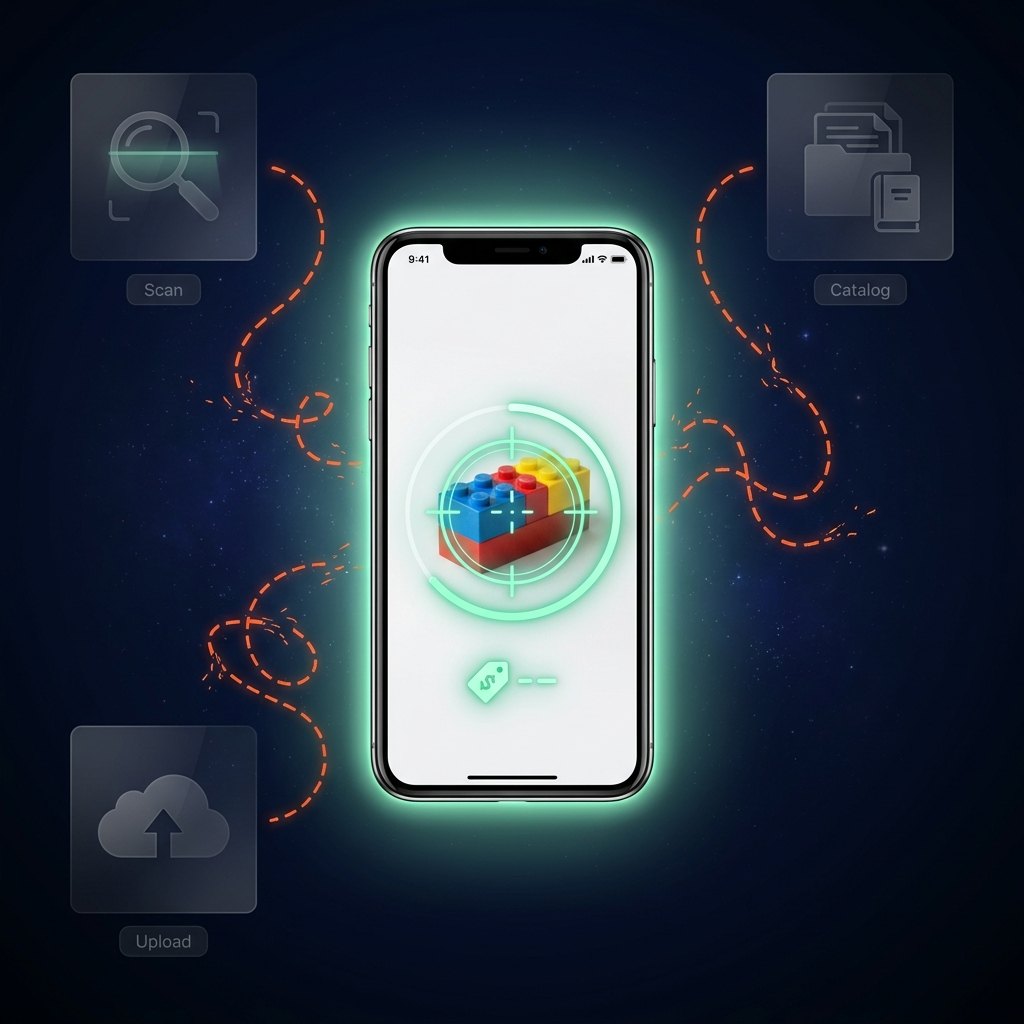
Parting out means juggling separate apps. You scan a piece in Brickognize to identify it, add it to your catalog in BrickStore, then switch to BrickLink's web uploader to actually list it. Every part makes the round trip — and there's no single scan-to-upload path. It's slow, manual, and easy to get wrong.

GoSGSellBricks closes the loop — one app, one workflow, one scan straight to your BrickLink inventory (and one tap to undo).
One scan inside the app, surrounded by today's disconnected Scan, Catalog and Upload tools linked by broken, tangled paths
The fix, in motion

One flow,
scan to sell.

Watch a whole table of parts go from scanned to priced to uploaded — without ever leaving the app.

Set import + Camera scan

Price every brick
your way.

Import any set with 3-tier pricing — Singapore sold, then global sold, then current stock — or scan piece by piece with the camera, in any order.

Bulk upload + Minifigs

Sorted, located,
ready to list.

Push set inventory in one tap — select all or per category — and consolidate locations. Compare minifig split vs. whole to know which earns more.

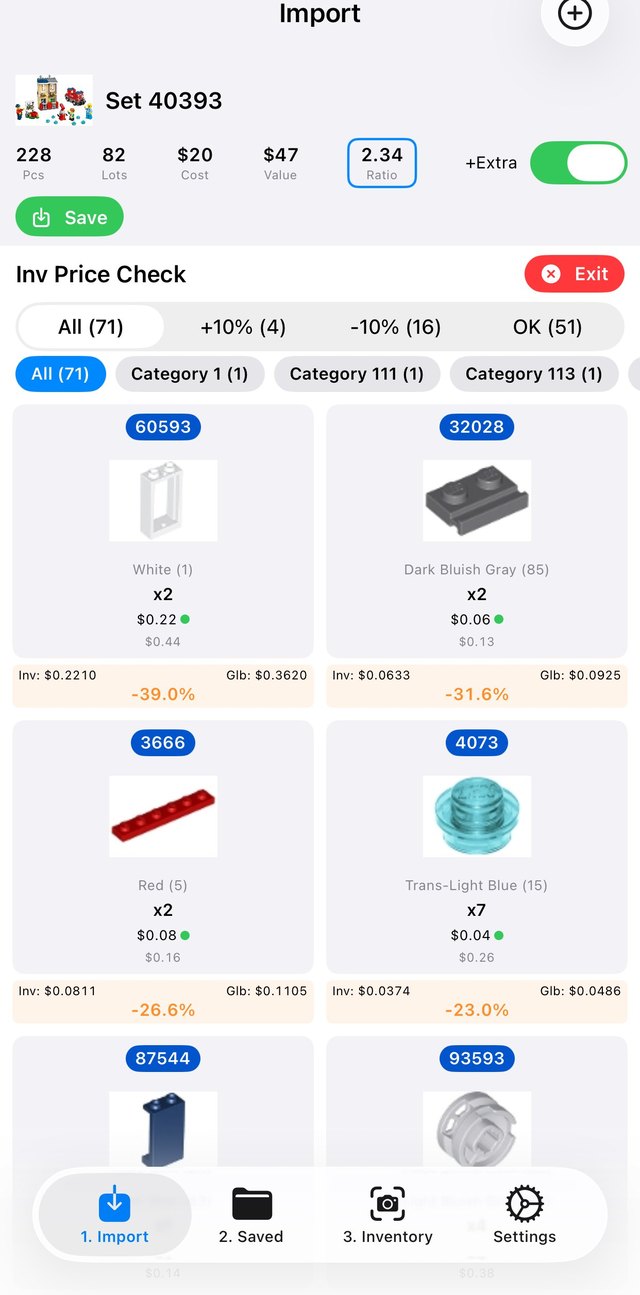
Price check

Never mispriced.

Compare against global pricing and instantly spot deviations beyond ±10%.

Done

One tap to BrickLink.

From a loose pile to priced, uploaded inventory — and undo any batch in one tap.

frame 1 / 80 · your animation drops in here
Everything a part-out seller needs

From pile to profit, faster.

Five tools that turn a box of mixed bricks into a priced, sorted, BrickLink-ready inventory.

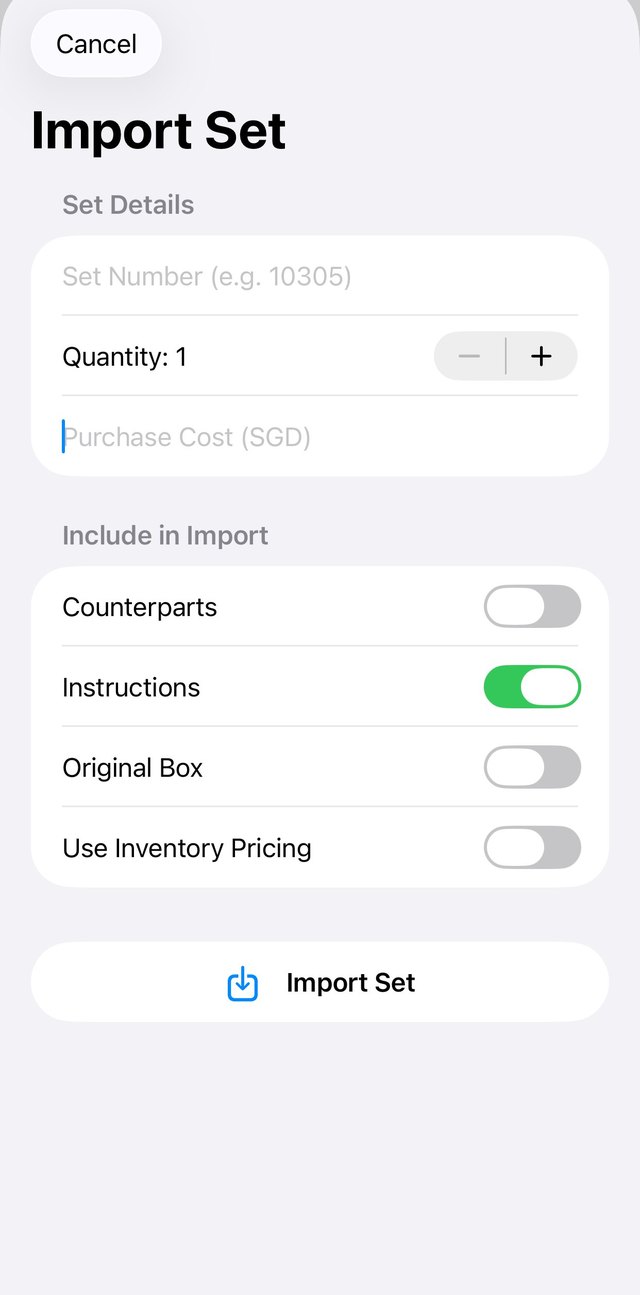
Import Set form
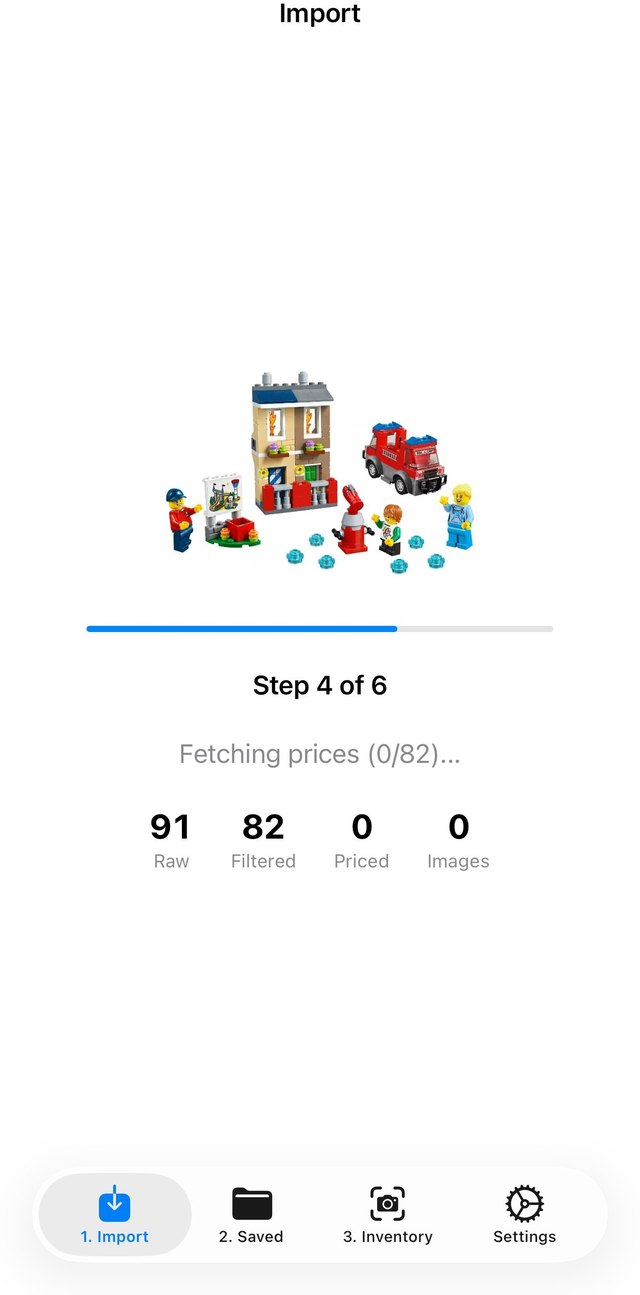
Importing and fetching prices
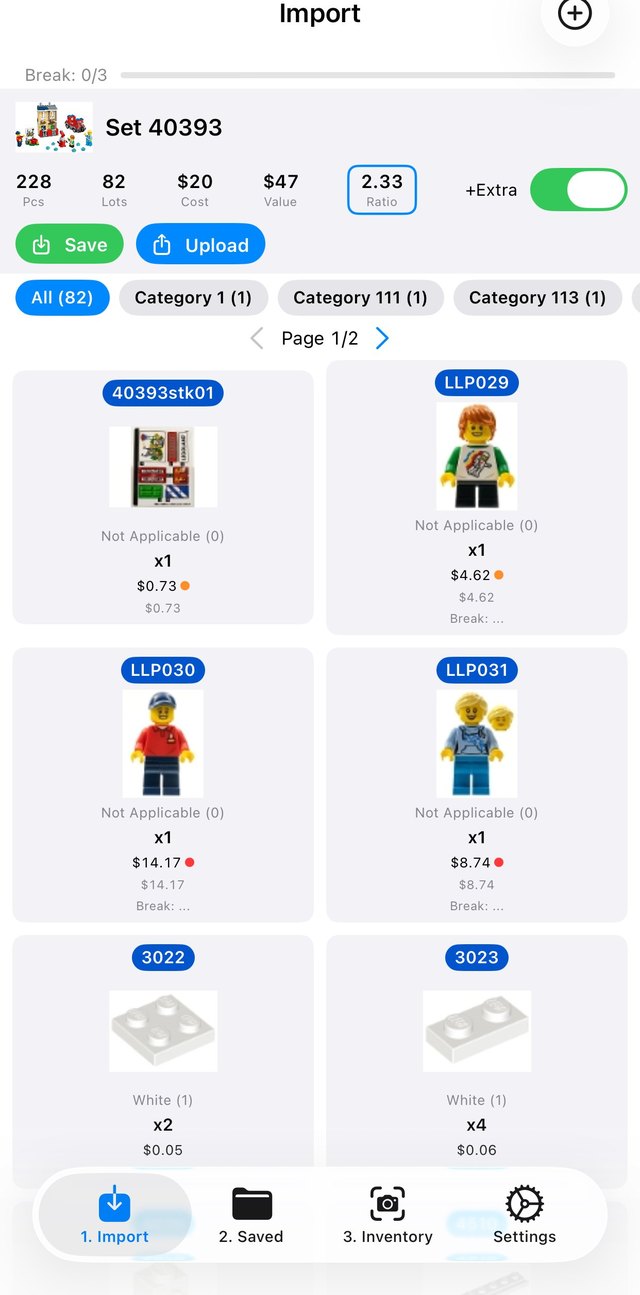
A set parted out with per-part pricing
01 · Set import

Import any set, price it your way

Pull in any set and price every part to your preference, with 3-tier pricing: Singapore sold → global sold → current stock.

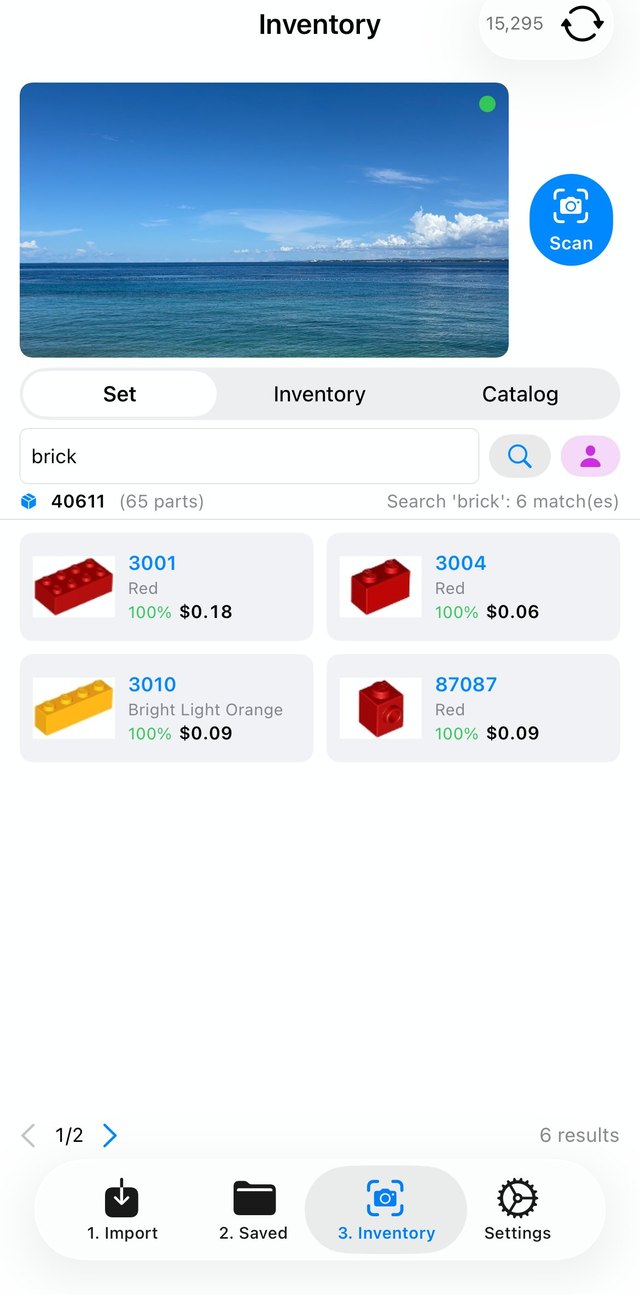
Inventory with camera scan
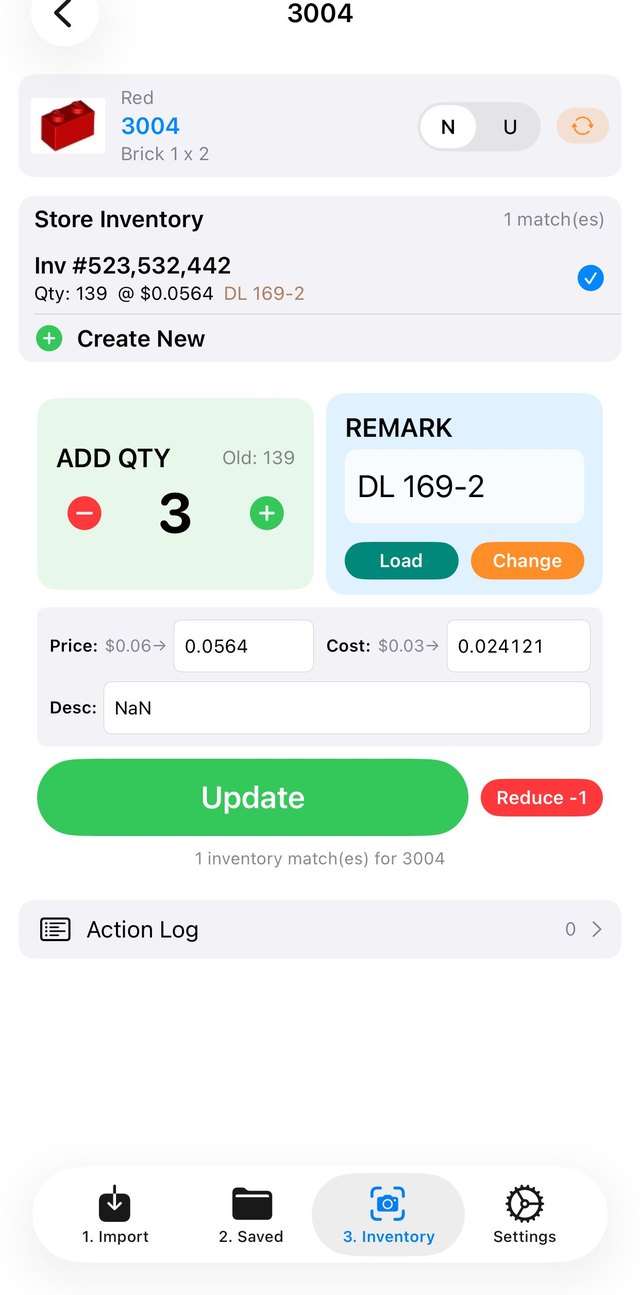
Scanned part quantity and pricing
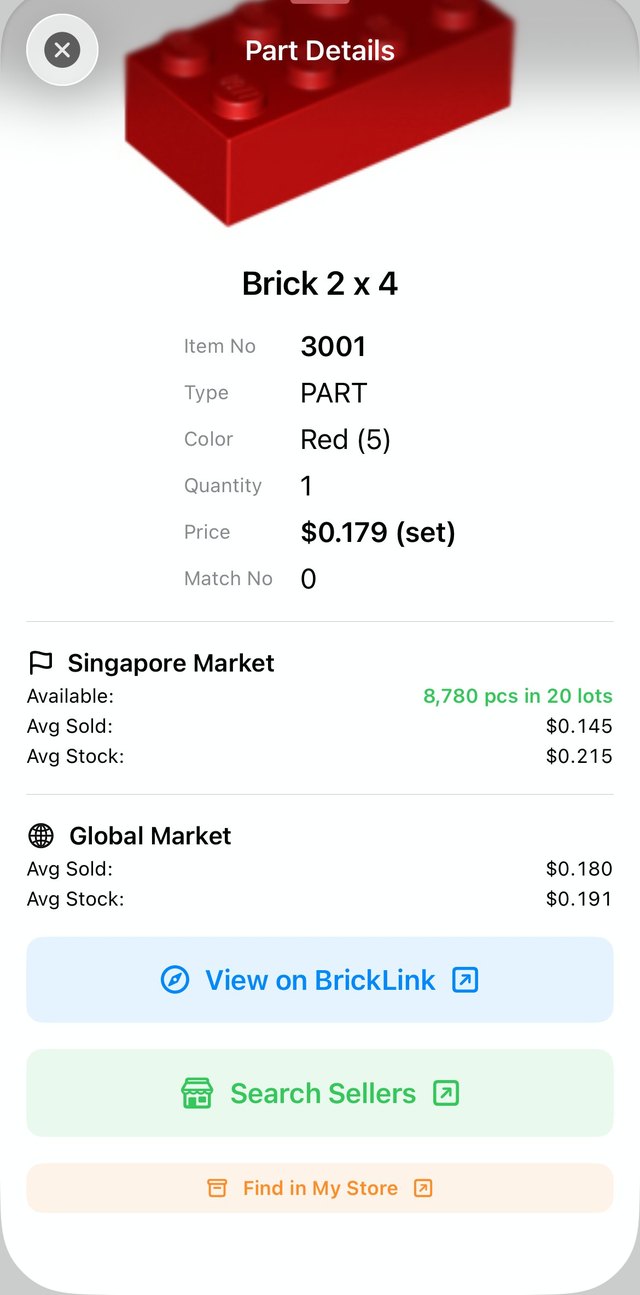
Scanned part details with market prices
02 · Camera scan

Scan piece by piece, in any order

A native camera built for each device — fast enough to scan part by part, not a laggy web grab. No more lining parts into rows of trays just to upload.

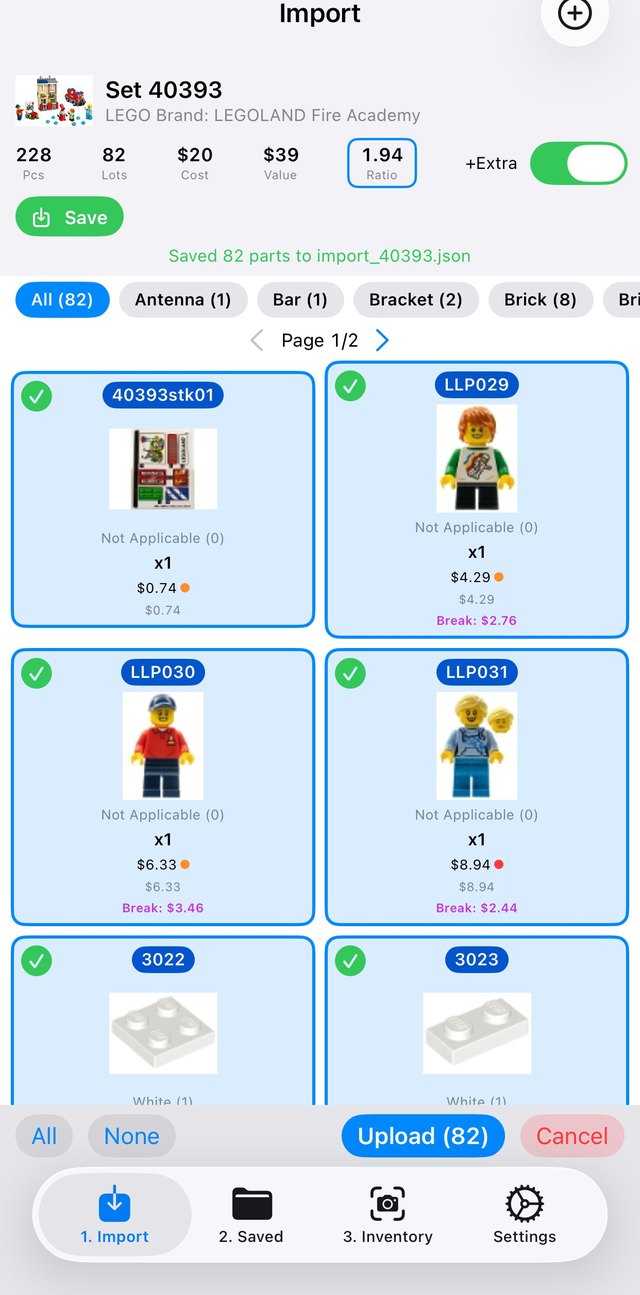
Selecting all parts to upload to BrickLink in one tap
03 · Bulk upload

One tap, your whole batch live

Push set inventory to BrickLink in one tap — select all or per category — and consolidate item locations automatically.

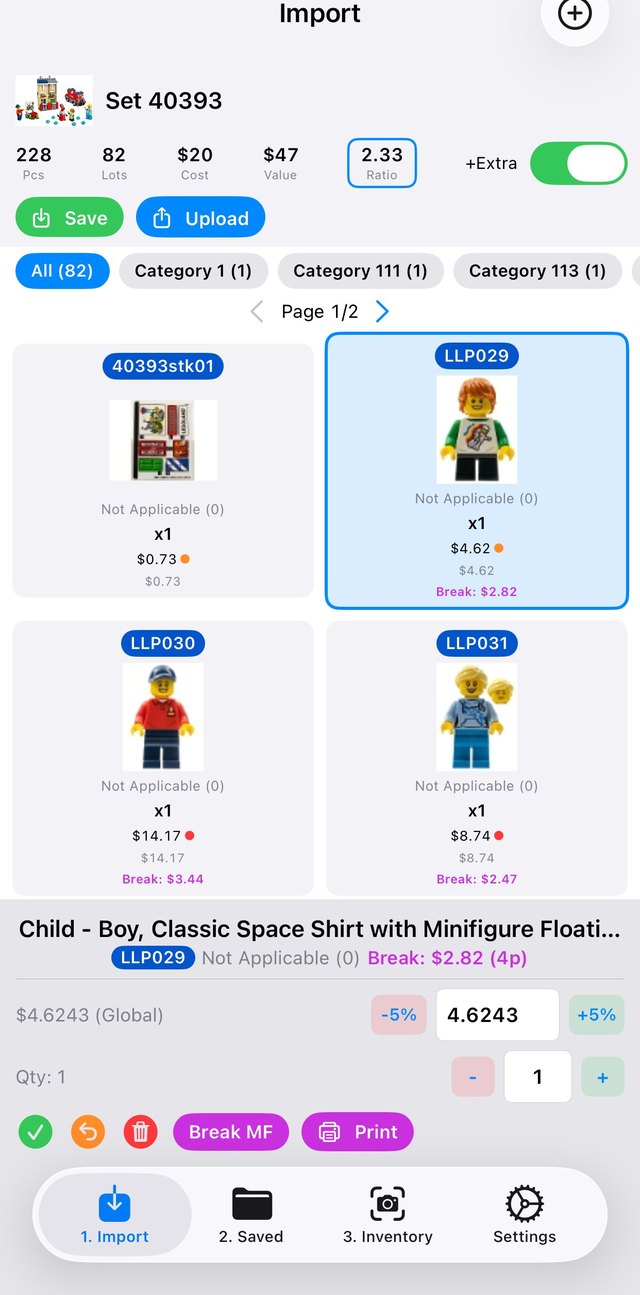
Minifig with break-out value and print
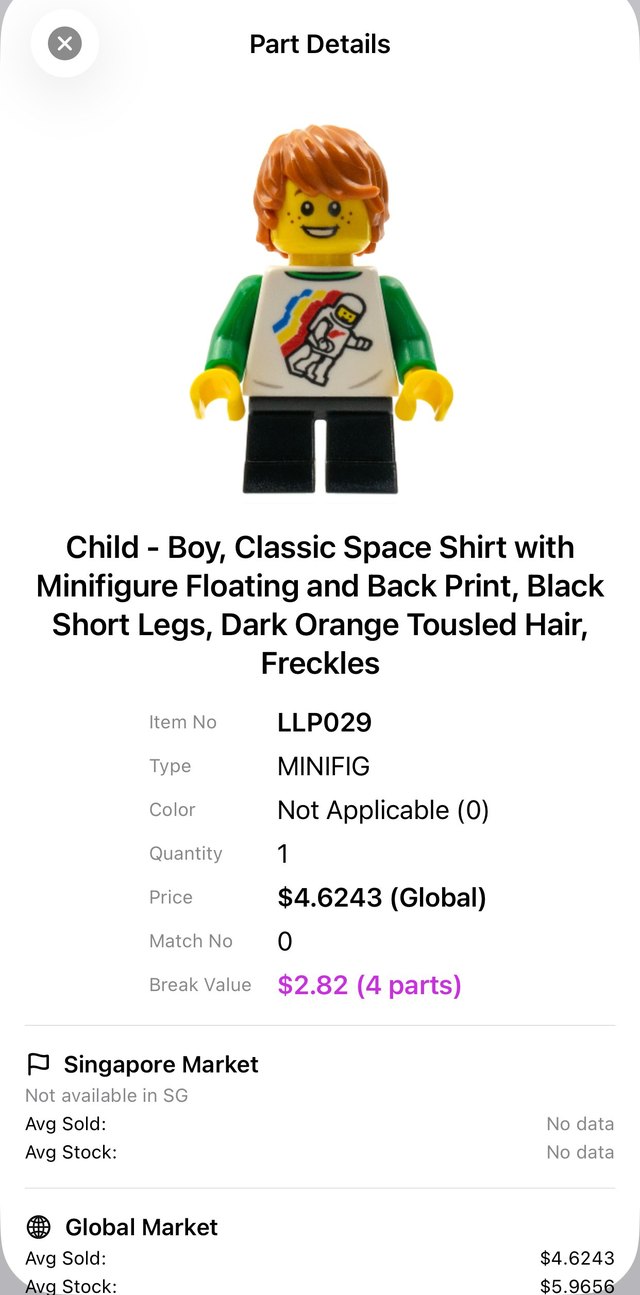
Minifig part details and break value
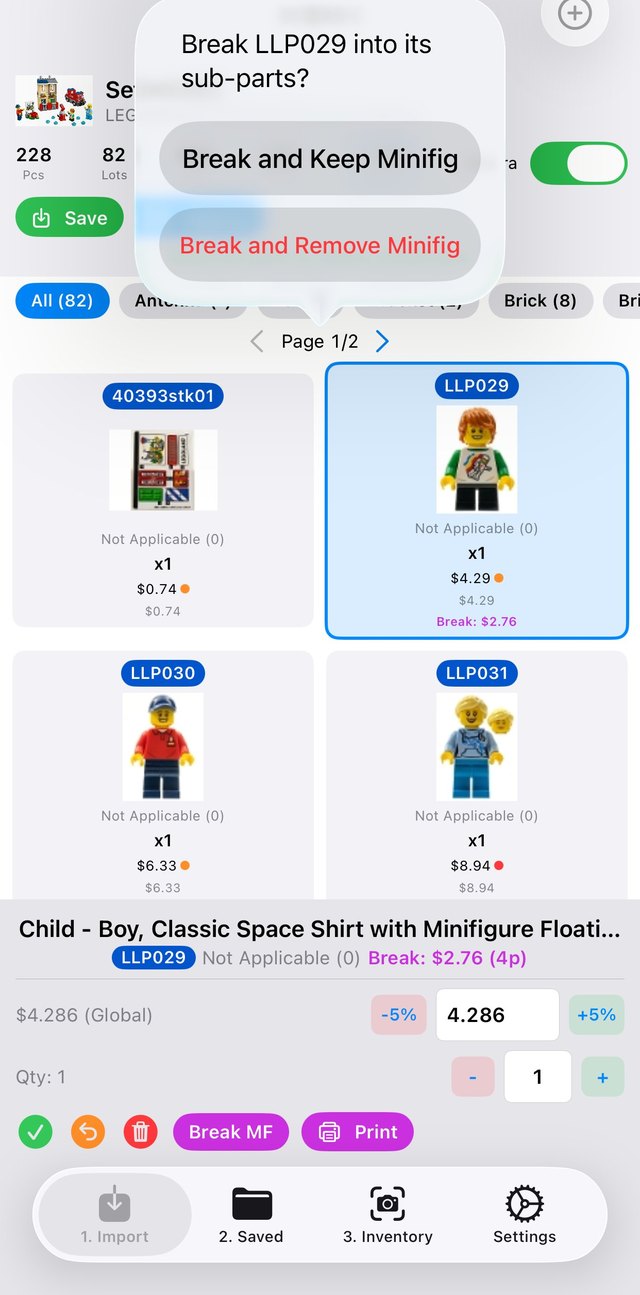
Break minifig into sub-parts dialog
04 · Split or whole

Know which earns more

Review minifig break-out pricing to decide split vs. whole, then print sticker labels for every lot.

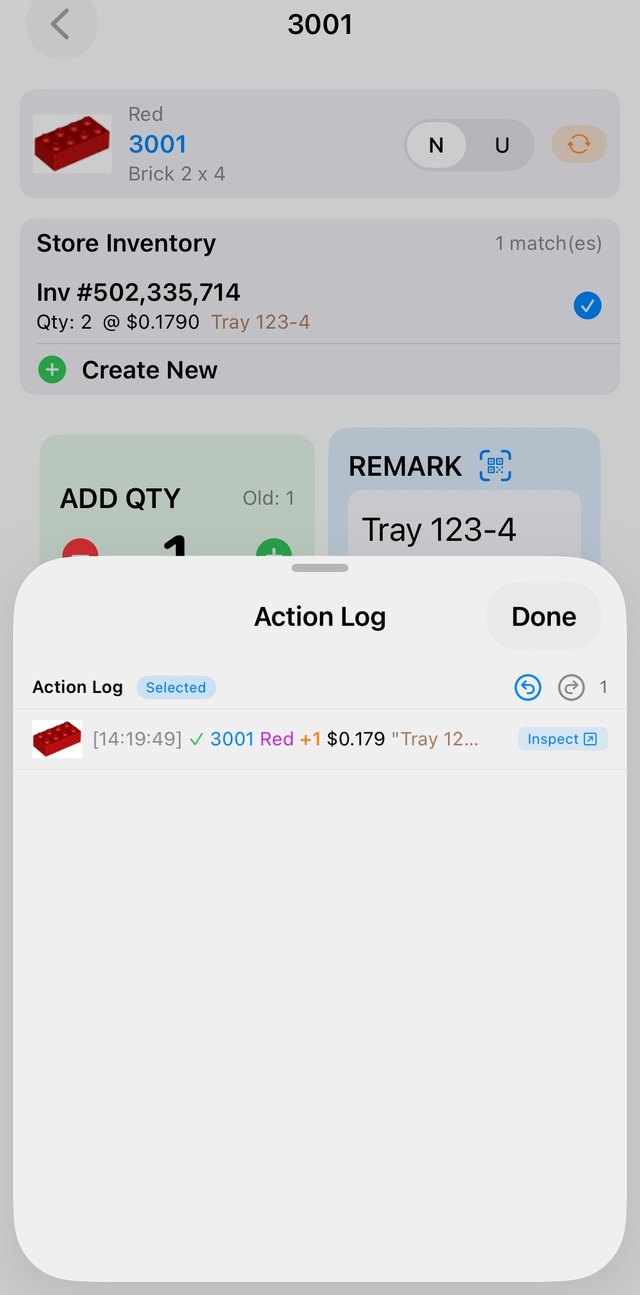
Action log with undo and redo controls
05 · One-tap undo

Undo a whole upload, instantly

Pushed the wrong batch live? One tap reverses the entire upload — your store is never one mistake away from a cleanup nightmare.

★ Seller favourite
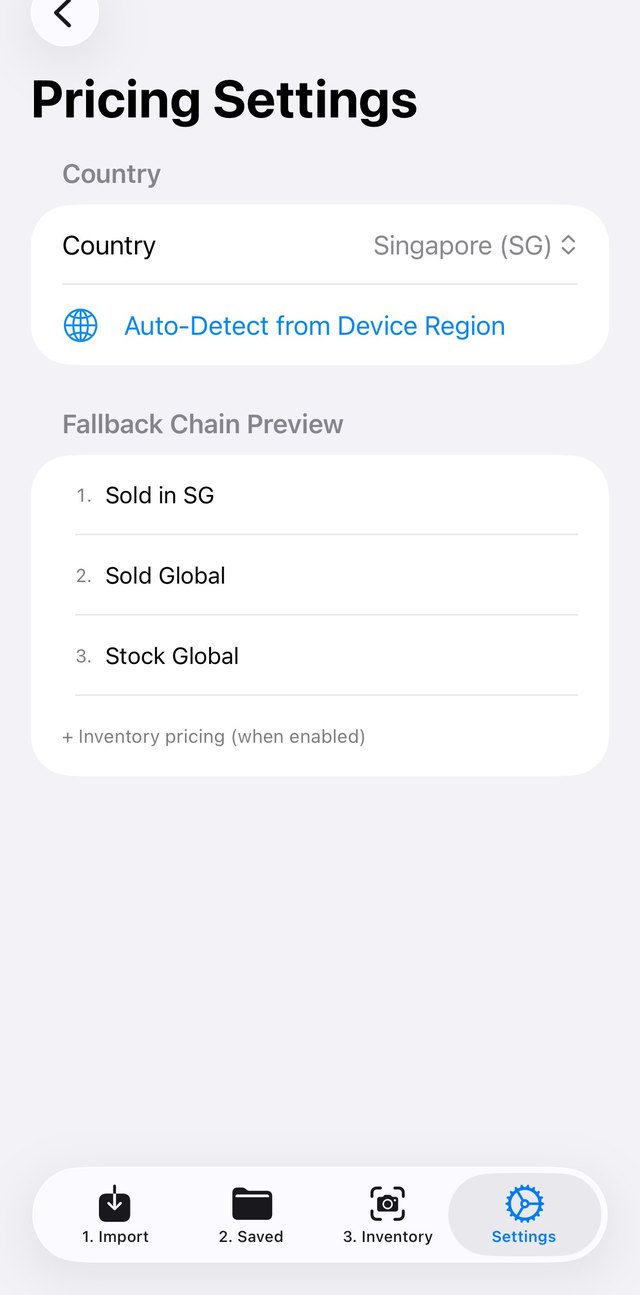
Pricing settings with fallback chain
Inventory price check showing deviations beyond plus or minus 10 percent
06 · Price check

Never sit mispriced

Set your pricing fallback — Singapore sold, then global sold, then stock — and compare your live inventory against the market to instantly spot deviations beyond ±10%.

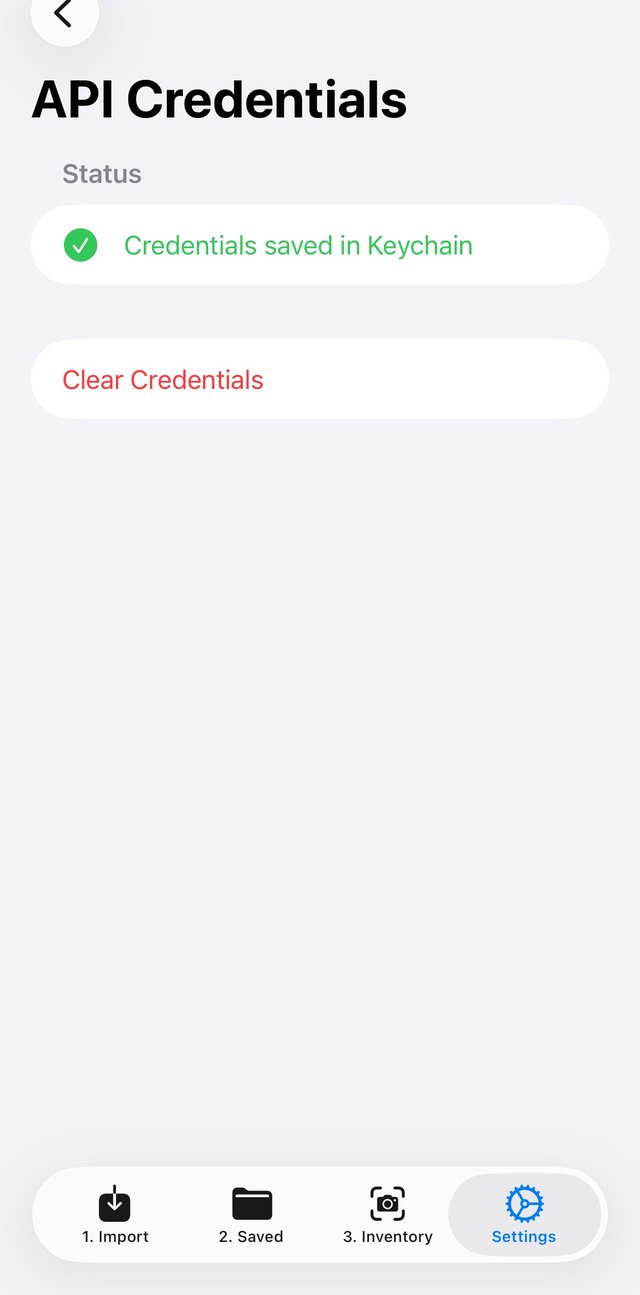
Your keys stay yours.

You provide your own BrickLink API credentials — they stay on your machine. No middle-man server, no shared access.

API credentials saved securely in the device keychain
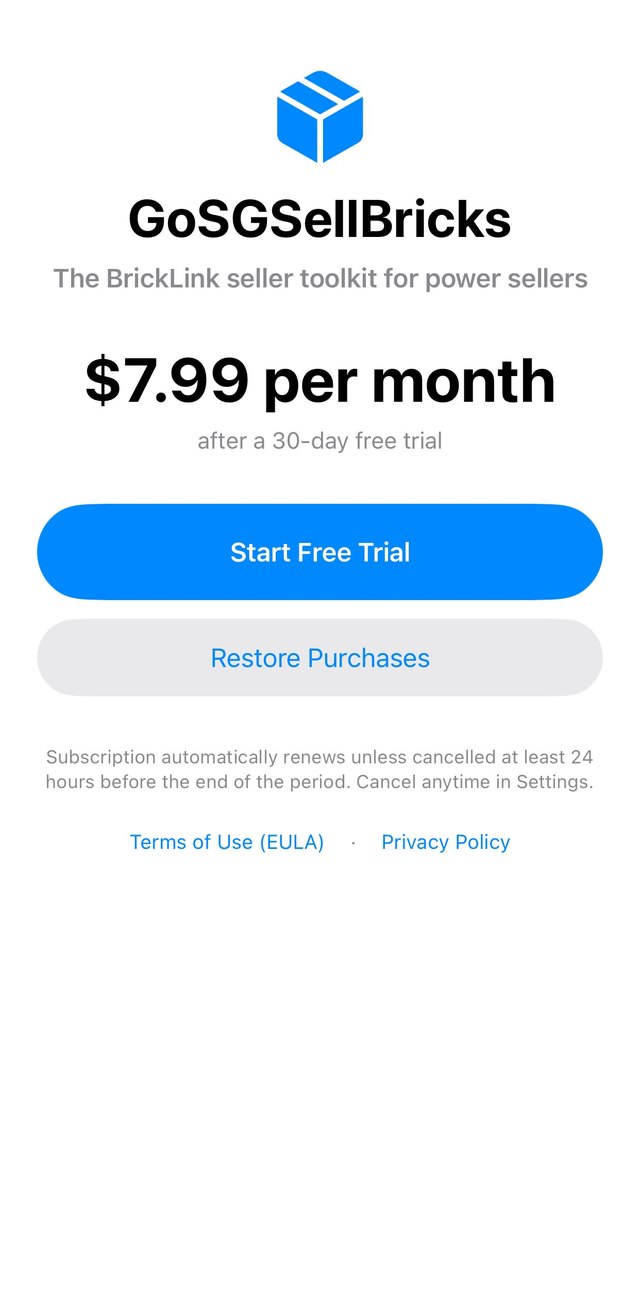
Pricing

$7.99 flat — no commissions.

No cut of your sales, however much you grow. Start free, go Pro when you're ready.

In-app subscription screen — $7.99 per month after a 30-day free trial
Pro
$7.99 / month
30-day free trial · then billed in your local currency
No commissions · we never take a cut of your sales
  • Unlimited set imports & 3-tier pricing
  • Camera scan to detect pieces
  • One-tap bulk upload & location consolidation
  • Minifig split/whole pricing & sticker labels
  • Price-check vs global (±10% alerts)
  • One-tap undo of any upload
  • Pause & resume anytime — any order, no pre-sorting
Start your free trial
Free to start · cancel anytime
FAQ

Good to know.

What is GoSGSellBricks?

A part-out tool for BrickLink sellers. Import a set, price every part your way, and upload your inventory to BrickLink in a single tap.

Do I need a BrickLink account?

Yes. You provide your own BrickLink API credentials, and they stay on your device — the app never routes them through a shared server.

How is each part priced?

A 3-tier fallback keeps prices realistic: Singapore sold prices first, then global sold prices, then current stock listings.

Which devices are supported?

iOS (App Store) and Windows (Microsoft Store) are live now. Android is coming soon.

How much does it cost?

Free to start. Pro is USD $7.99 per month — charged in your local currency — after a 30-day free trial.

Can I price minifigs split or whole?

Yes. Compare break-out pricing against the whole-figure price to see which earns more, then print sticker labels for your lots.

Can I undo an upload?

Yes. One tap reverses an entire upload, so pushing the wrong batch live is never a cleanup nightmare — your store is always one tap from clean.

Do you take a commission?

No. It's $7.99 flat — no commissions and no cut of your sales, however much you grow.
Get GoSGSellBricks

Part out any set, your way. Any order, undo any upload — one tap to BrickLink.